 ₹ INR
₹ INR
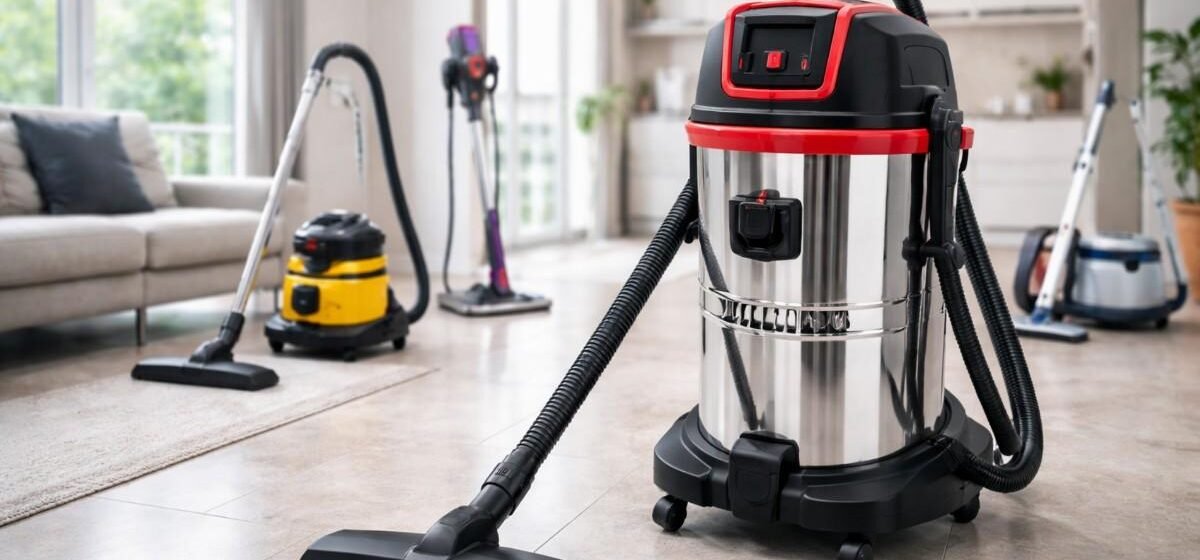
A vacuum cleaner is one of the most essential cleaning tools at home or in the workplace, yet many users overlook its maintenance. Poor upkeep leads to reduced suction power, frequent breakdowns, and short machine life. With regular cleaning and proper care, your vacuum cleaner can deliver powerful performance for years. Using the right techniques and dependable equipment from SGT Multiclean Equipments ensures long-lasting results and smooth operation for all your cleaning needs.
Why Vacuum Cleaner Maintenance Matters
Just like any machine, a vacuum cleaner performs best when maintained regularly. Dust, debris, and clogged filters can strain the motor, reduce airflow, and cause overheating. Regular maintenance not only improves suction but also saves repair costs and prevents early replacement of parts.
Vacuum Cleaner Maintenance Tips for Long Life
1. Clean or Replace Filters Regularly
Vacuum cleaners rely heavily on filters to trap dust and maintain clean airflow. When filters get clogged, suction drops, the motor works harder, and cleaning efficiency decreases. Cleaning or replacing filters on time is one of the most reliable ways to extend your vacuum cleaner’s lifespan.
Different vacuum cleaner models have different types of filters, such as HEPA filters, foam filters, cartridge filters, and exhaust filters. Some filters are washable, while others need replacement. Always check your manual and follow the recommended maintenance schedule. Washable filters should be rinsed with lukewarm water and allowed to dry completely before reinstalling. Never operate a vacuum cleaner with a wet filter, as it can damage the motor.
2. Empty the Dust Bag or Dust Bin Frequently
Allowing the dust bag or dust bin to fill completely puts pressure on the motor and reduces suction significantly. When the container becomes too full, air cannot circulate properly through the machine, leading to clogged filters and overheating. Most vacuum cleaners perform best when the dust bag or bin is emptied when it reaches about two-thirds capacity. For bagless models, emptying the bin after every major cleaning session helps maintain consistent suction power.
If your vacuum uses disposable bags, ensure you always use bags specifically designed for your model. Improperly sized bags can cause leaks or dust backflow inside the machine. For reusable bags, shake them clean outdoors and wash them when recommended. Maintaining a clean dust container prevents odors, improves airflow, and supports long-term performance.
3. Check and Clean the Brush Roll
The brush roll is one of the most active components of a vacuum cleaner, especially in carpeted areas. It collects hair, thread, lint, and debris that can wrap tightly around it. Over time, this buildup reduces the brush roll’s ability to rotate freely, resulting in poor cleaning performance and uneven movement.
To maintain the brush roll effectively, remove it and cut away tangled hair and threads using scissors. Make sure the bearings and belt area are clean and free from dirt. If the brush roll shows signs of wear such as frayed bristles or broken pieces, consider replacing it. A well-maintained brush roll protects the motor from strain and ensures deep cleaning performance.
4. Inspect Hoses and Attachments for Blockages
Hoses and attachments often get blocked by large debris, small toys, hairballs, or dirt clumps. These blockages cause the vacuum cleaner to lose suction and can lead to overheating. Checking the hoses regularly helps prevent these issues. To inspect, disconnect the hose and look through it for any blockages. Flexible rods or long brushes can help push stuck debris out.
Attachments such as crevice tools, upholstery heads, and extension wands should also be cleaned regularly. Dust buildup inside attachments reduces air movement and affects overall cleaning efficiency. Keeping these parts clear ensures proper suction flow.
5. Maintain the Vacuum Cleaner Belt
The belt connects the motor to the brush roll and is essential for the smooth functioning of the vacuum. Over time, belts stretch, crack, or loosen, reducing the effectiveness of the brush roll. A weak or damaged belt causes poor carpet cleaning and may even slip off completely.
Inspect the belt monthly for signs of wear. If the belt appears loose or damaged, replace it immediately. Many vacuum cleaners require belt replacement every six months to one year, depending on usage. A strong belt ensures that the brush roll rotates at the correct speed and helps maintain deep-cleaning capability.
6. Wipe the Exterior and Keep Vents Clean
Although often ignored, the exterior of the vacuum cleaner and its air vents play a crucial role in maintaining airflow. Dust buildup around the machine can clog vents, causing overheating. Wipe the machine with a dry or slightly damp cloth after every few uses to prevent dust accumulation.
Air vents must always remain open and unobstructed. Use a small brush to clean the vents and ensure air can pass through freely. This simple habit prevents overheating and keeps the motor working efficiently.
7. Store the Vacuum Cleaner Properly
Proper storage helps protect the vacuum cleaner from dust, moisture, and accidental damage. Store the machine in a cool, dry place to avoid rust and corrosion. Wrapping the cord neatly prevents internal wire damage. Keep attachments in one place to avoid losing important parts.
If your vacuum cleaner has a detachable hose, avoid bending it sharply while storing because it can crack or lose flexibility over time. Good storage habits add years to your machine’s life and reduce repair needs.
8. Service the Vacuum Cleaner When Needed
Even with regular home maintenance, vacuum cleaners may still require occasional servicing. Professional servicing helps identify internal issues such as worn bearings, loose wiring, blocked internal chambers, or motor troubles. Early diagnosis prevents major damage and extends machine life.
Ensure that servicing is done when you notice unusual noises, overheating, loss of suction, or foul odors. Timely servicing keeps your vacuum running smoothly and reliably for years.
Common Vacuum Cleaner Mistakes to Avoid
Using the Wrong Attachments on Surfaces
Many users unknowingly damage surfaces by using the wrong attachment. For example, using a hard-bristle brush on delicate materials can cause scratches, or using the wrong tool on carpets may leave dust behind. Knowing which attachment suits each surface ensures better cleaning and protects both the machine and your home.
Ignoring Unusual Sounds and Smells
Strange noises, burning smells, or sudden drops in suction are early signs of internal problems. Ignoring these issues can cause significant damage to the vacuum cleaner. Addressing these signs early helps avoid costly repairs and increases the lifespan of the machine.
FAQs
1. How often should I clean my vacuum cleaner filter?
Clean filters once every two weeks and replace them based on manufacturer recommendations.
2. Why is my vacuum losing suction power?
Loss of suction is usually due to clogged filters, blocked hoses, or a full dust container.
3. Can I wash all types of vacuum filters?
No, only washable filters should be rinsed. HEPA filters often need replacement rather than washing.
4. How often should I change the vacuum cleaner belt?
Replace the belt every 6–12 months or when you notice reduced brush roll movement.
5. Is it necessary to clean the vacuum after every use?
Light cleaning such as emptying the dust container helps maintain performance and prevents buildup.
Conclusion
Proper vacuum cleaner maintenance is key to keeping suction powerful, protecting the motor, and ensuring long-lasting performance. Regularly cleaning filters, inspecting hoses, and removing blockages helps your vacuum operate smoothly and efficiently. If you need help choosing the right maintenance tools or spare parts, reach out to us today for quick support. With dependable products from SGT Multiclean Equipments, you can extend your vacuum cleaner’s lifespan and enjoy consistent, effective cleaning results.